Getting Started: Creating Your First Review Project
 by Shemsedin A
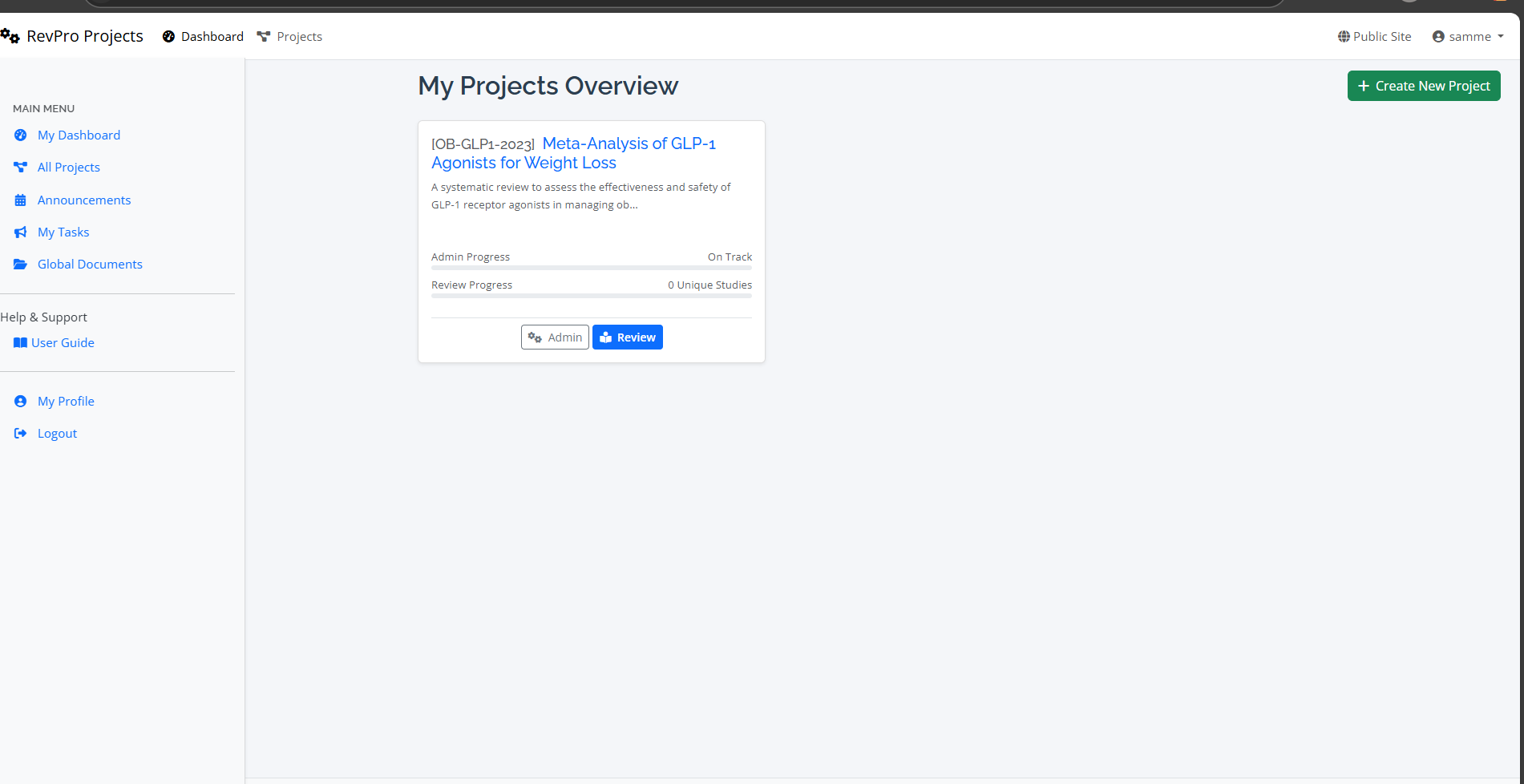
A step-by-step guide to setting up your first systematic review project in RevPro, from initial setup to inviting your team.
Welcome to RevPro!
This guide will walk you through the essential first steps of starting a new systematic review project. By the end, you will have a fully configured project ready for your team.
Step 1: Creating the Project
Navigate to your dashboard and click the "New Project" button. You will be prompted to enter some basic information.
- Project Title: A clear and descriptive name for your review.
- Project Description: A brief summary of your research question and objectives.
- Project Template (Optional): If you have predefined templates, you can select one here to standardize the setup.
Step 2: Inviting Your Team
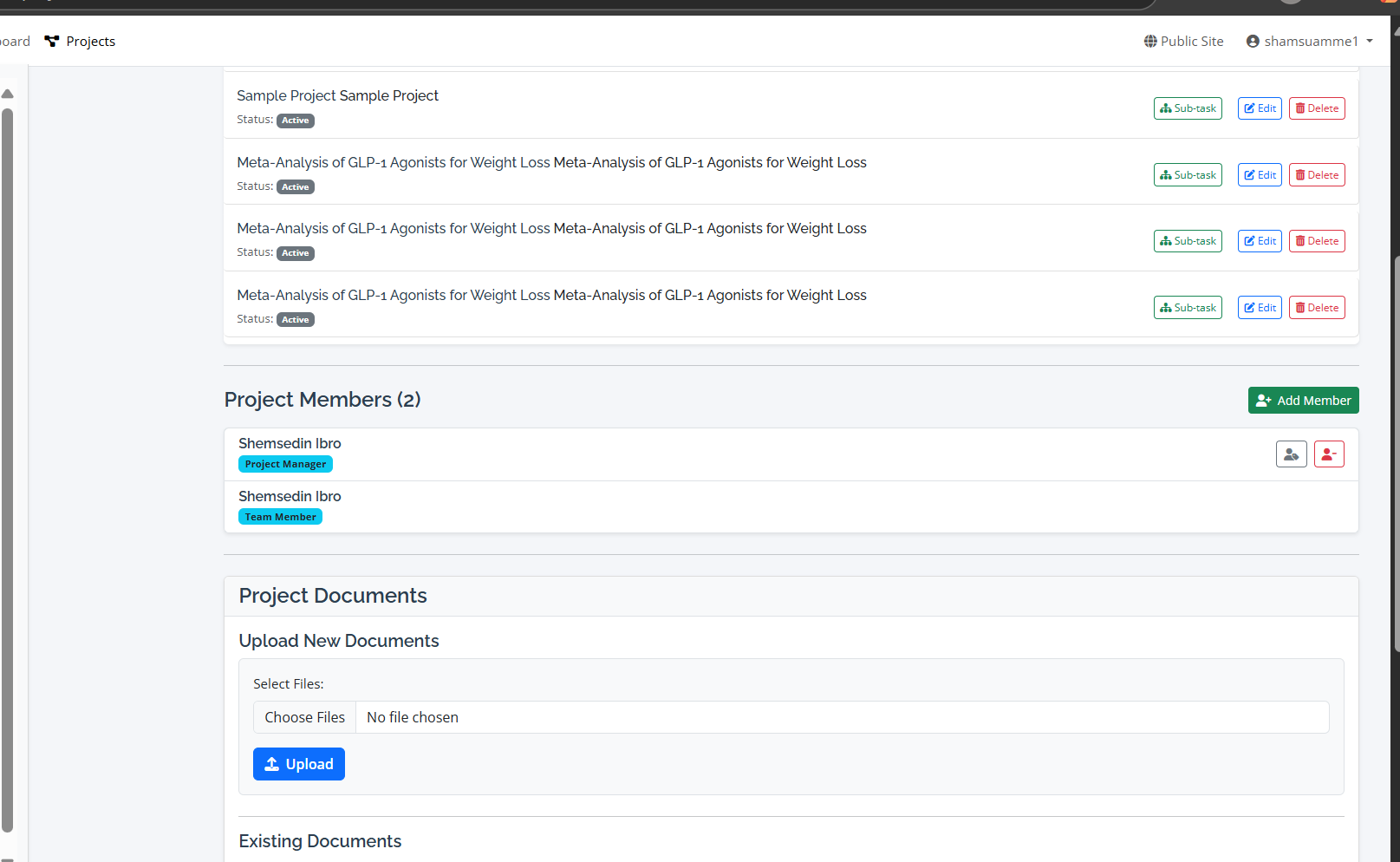
Collaboration is at the heart of RevPro. Once your project is created, go to the "Members" tab. Here you can:
- Add Members: Invite team members by their email address.
- Assign Roles: Define each member's role (e.g., Reviewer, Extractor, Project Manager). This controls their permissions within the project.
Step 3: Defining Your Protocol
Before you start importing studies, it’s crucial to define your review protocol. Navigate to the "Protocol" section to outline your methodology, including search strategies and inclusion/exclusion criteria. A well-defined protocol ensures your review is transparent and reproducible.