Guide: Project Creation & Planning
 by Shemsedin A
Learn how to initiate a new project in RevPro, from using templates to defining the initial scope, budget, and team structure.
Setting the Foundation for Success
Every successful systematic review starts with a well-structured project. RevPro provides a comprehensive set of tools to help you plan your project, define its scope, and assemble your team from day one.
Step 1: Creating a New Project
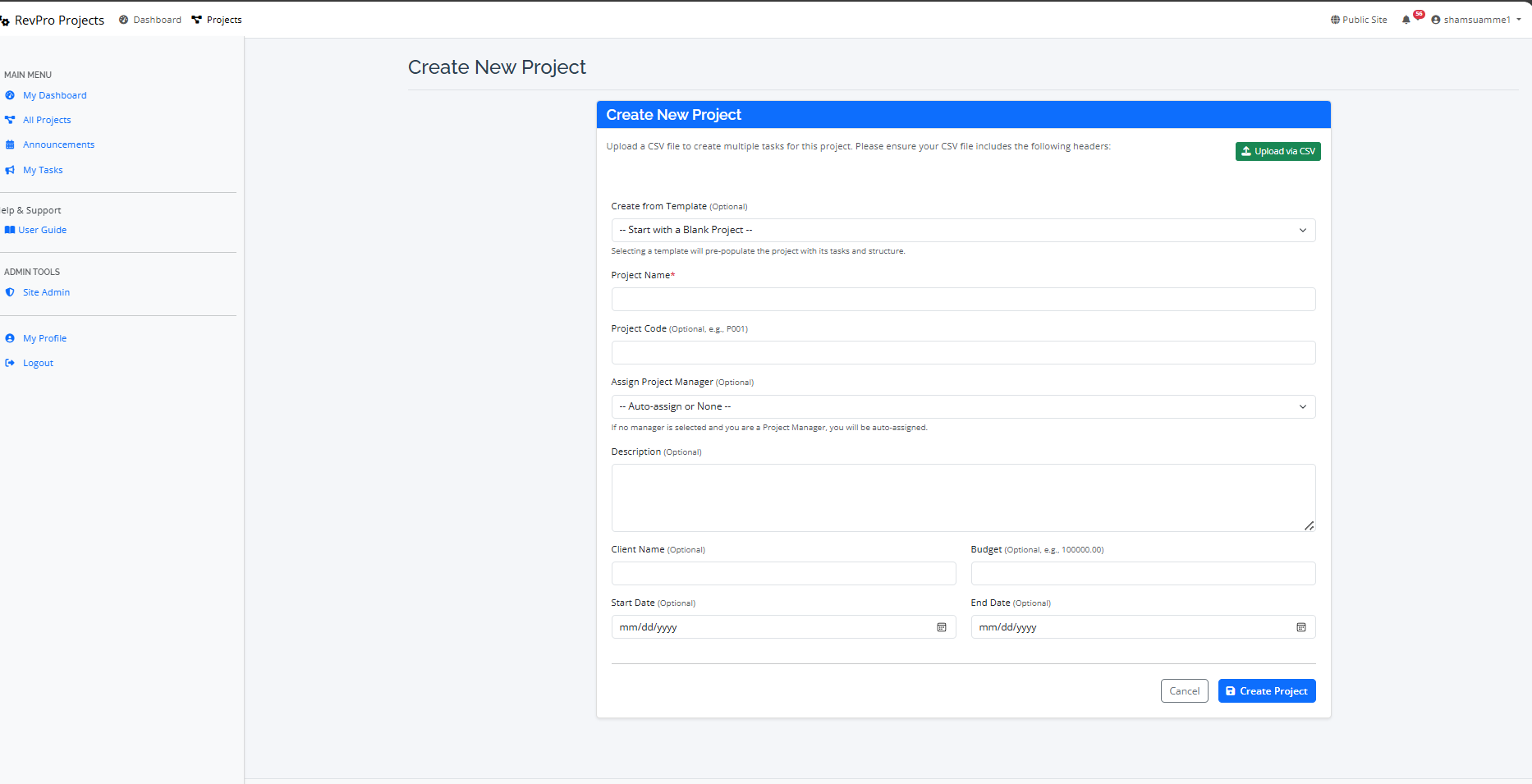
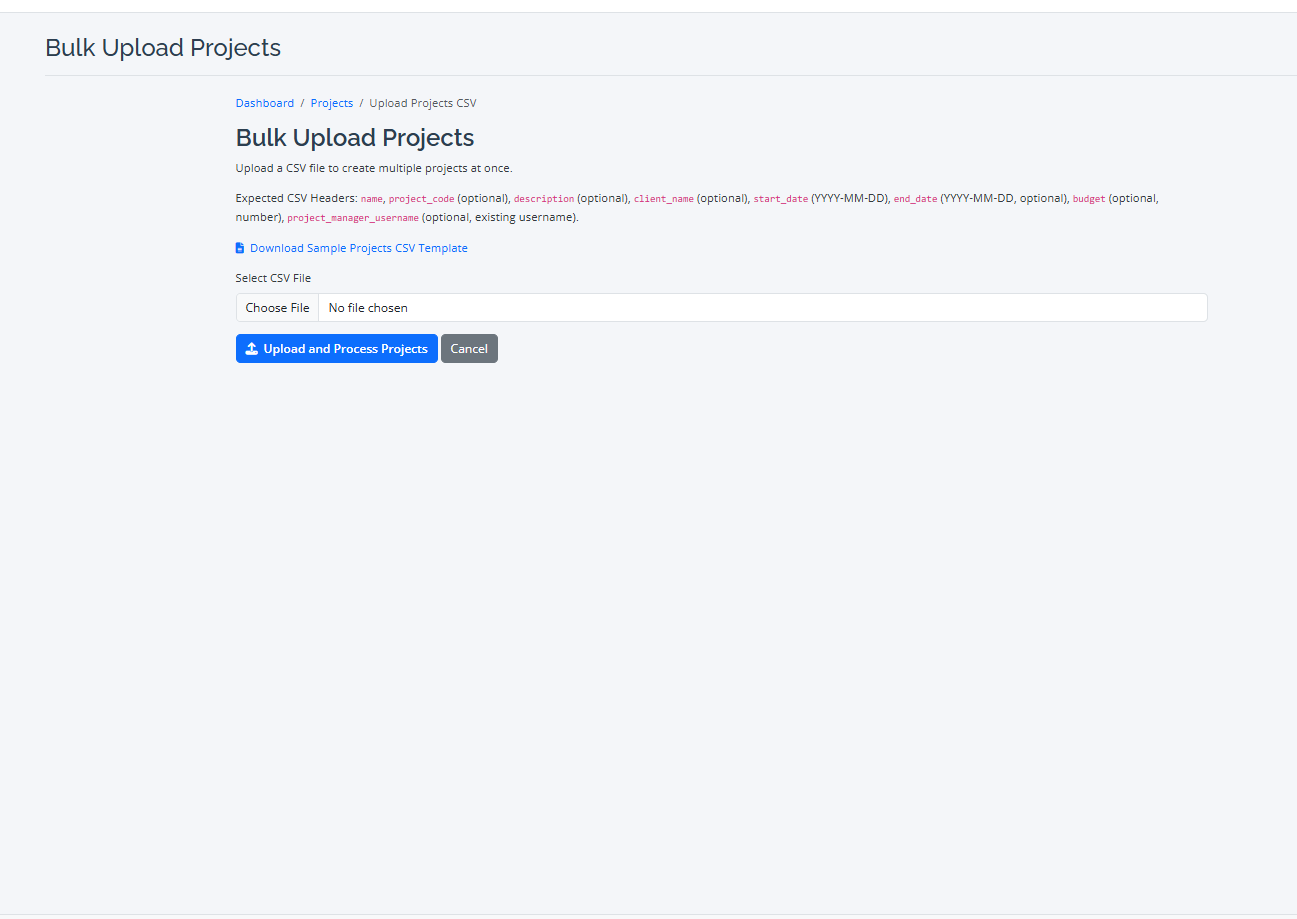
To start, click the "Create New Project" button from your main dashboard. This will take you to the project creation form where you will define the core details:
- Basic Information: Enter the Project Name, Code, and Client Name.
- Timeline & Budget: Set the initial Start Date, End Date, and overall Budget.
- Project Manager: Assign a Project Manager who will have administrative oversight.
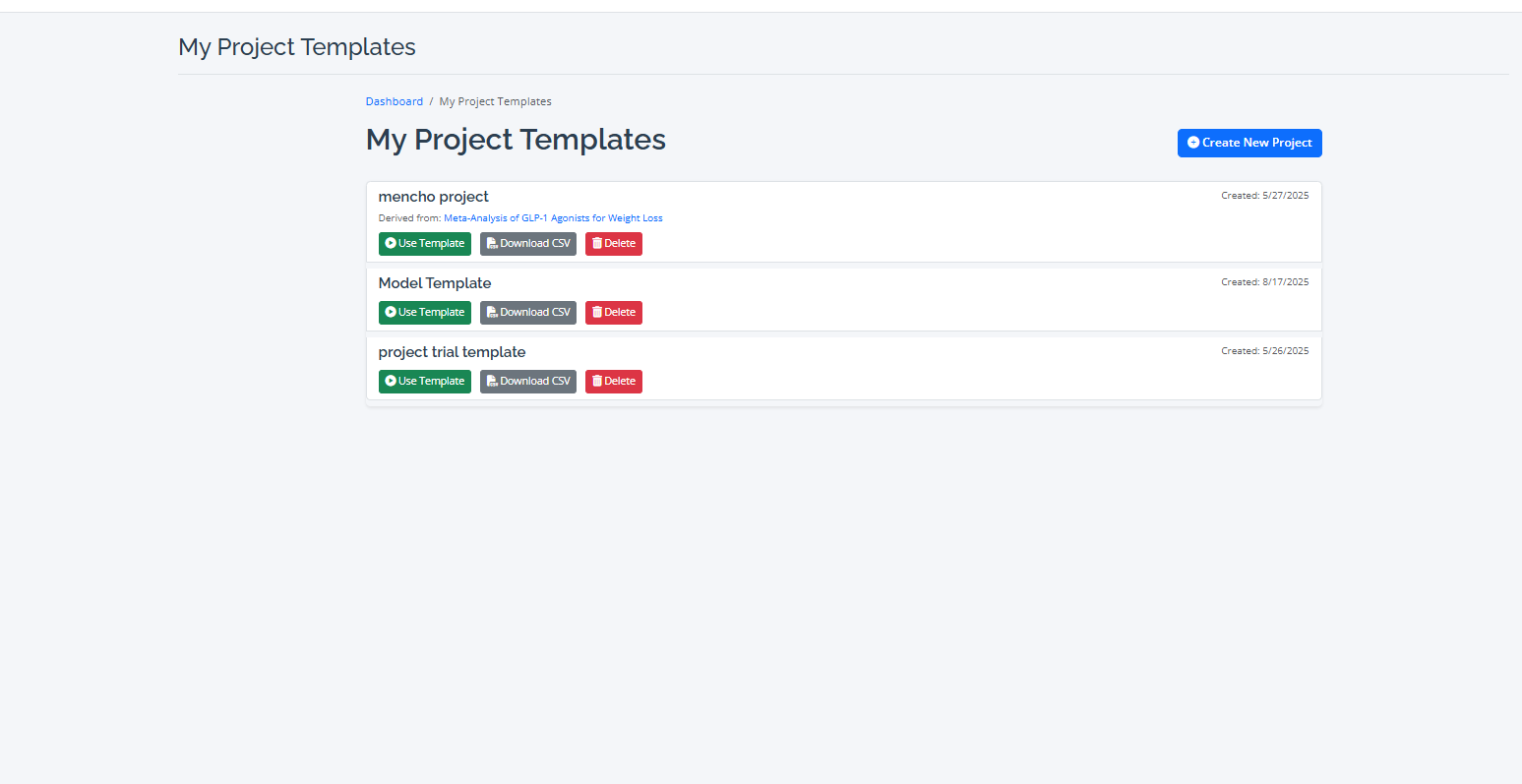
- Project Template: To save time and standardize your workflow, you can create a new project based on a pre-defined template.

Step 2: Leveraging Project Templates
Project templates are a powerful feature for ensuring consistency. When you create a project from a template, RevPro automatically populates it with a predefined set of tasks, a Work Breakdown Structure (WBS), and even task dependencies. This is ideal for organizations that conduct many similar types of reviews.
Step 3: Building Your Team
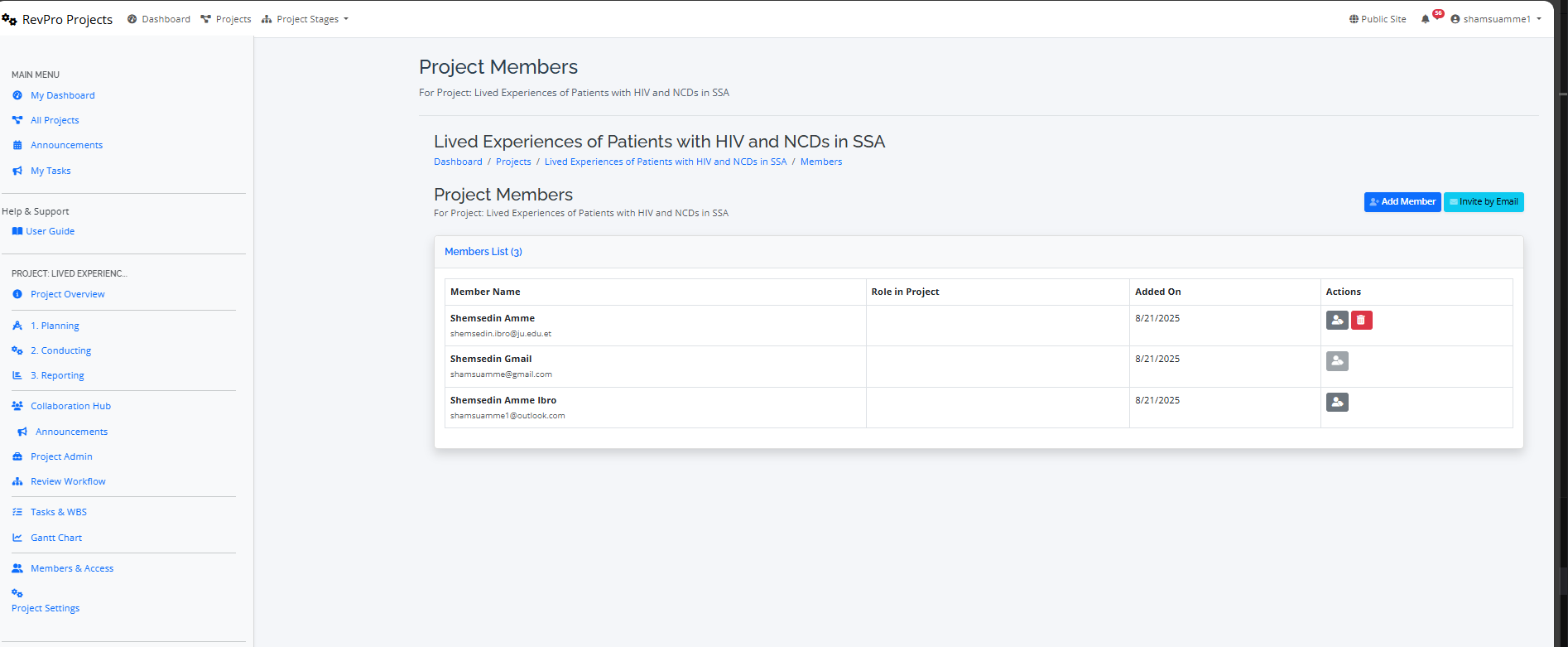
Once your project is created, navigate to the "Members" tab. Here, you can invite colleagues to the project and assign them specific roles (e.g., Reviewer, Data Extractor, Project Member). These roles determine their permissions and access to different modules within the project.