Guide: Synthesizing Your Data
 by Shemsedin A
Learn how to use RevPro’s Data Synthesis module to combine your extracted data for meta-analysis, narrative summaries, or qualitative meta-aggregation.
Bringing Your Results Together
The data synthesis stage is where you transform raw, extracted data into meaningful findings. Whether you are performing a quantitative meta-analysis or a qualitative narrative synthesis, RevPro provides the tools to structure and execute this process.
Step 1: Choosing an Analysis Type
From the "Data Synthesis" dashboard, click "Configure New Analysis". You will be prompted to select the type of synthesis that best fits your review:
- Meta-Analysis of Effectiveness: For combining results from controlled trials (e.g., 2x2 table data).
- Meta-Analysis of Prevalence: For synthesizing single-group proportion data.
- Qualitative Meta-Aggregation: For synthesizing qualitative findings.
- General Data Synthesis: For creating custom summary tables for scoping or narrative reviews.
Step 2: Configuring the Analysis
The configuration screen is where you map the fields from your data extraction form to the requirements of the analysis. You will also select the specific studies to include in the synthesis.

Step 3: Viewing and Exporting Results
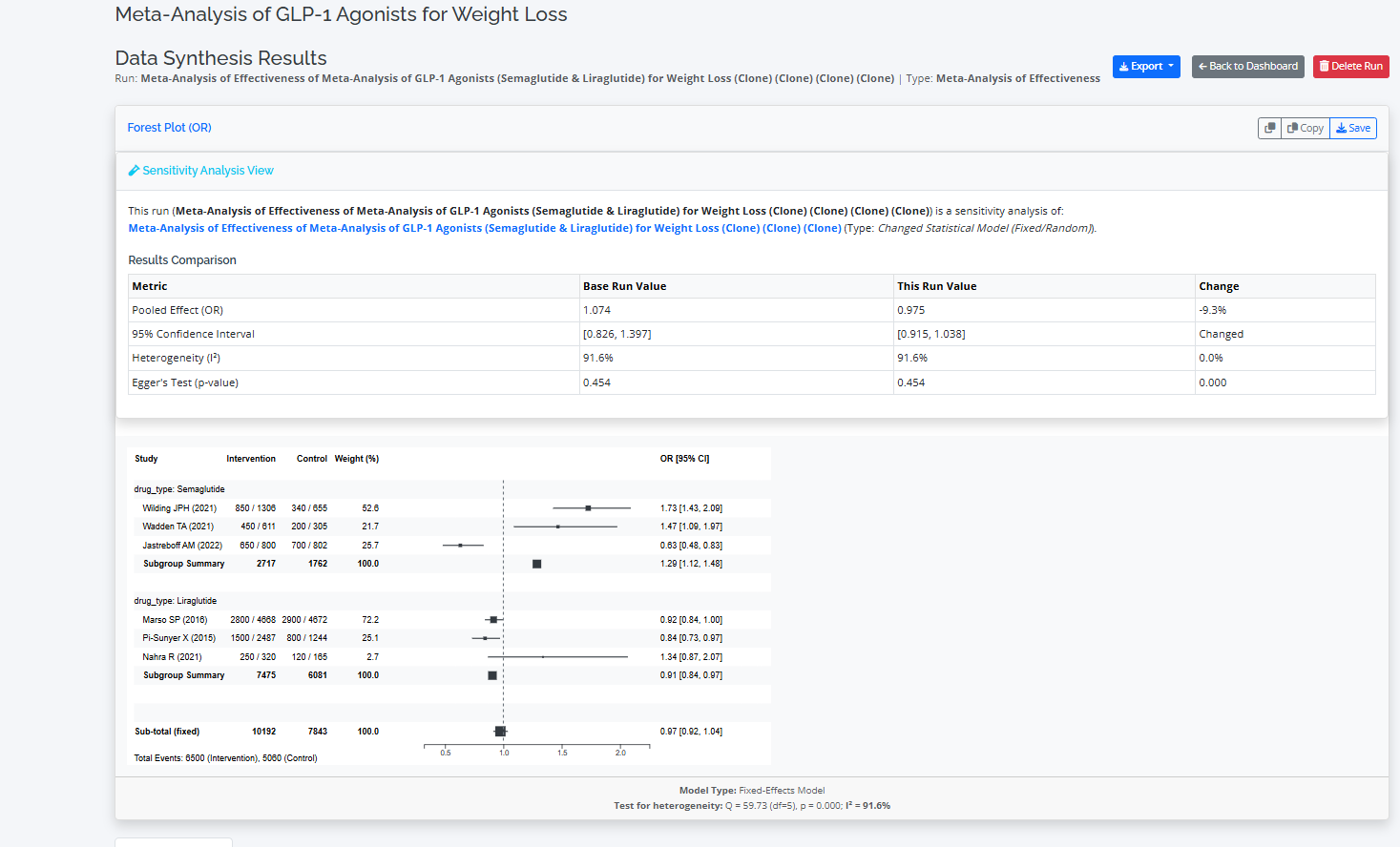
After running the analysis, RevPro presents the results on a dedicated page. For meta-analyses, this includes statistical summaries and visualizations like forest plots and funnel plots. For qualitative syntheses, you will see aggregated tables of your findings. All results and charts can be exported in various formats (DOCX, PDF, PNG) for use in your reports and manuscripts.